Original: $63.49
-65%$63.49
$22.22The Story
About the Brand 🌿
BaBylissPRO® is a professional grooming brand trusted by barbers and stylists worldwide. Known for advanced tool systems and modular designs, the FXONE™ platform allows multiple tools to operate using a single interchangeable battery system for streamlined workflows.
About the Product 🔋
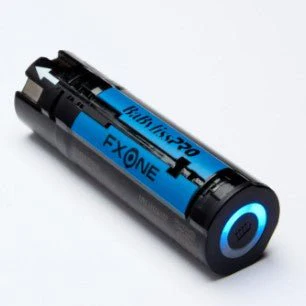
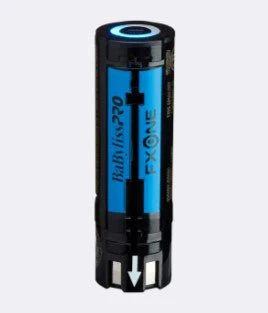
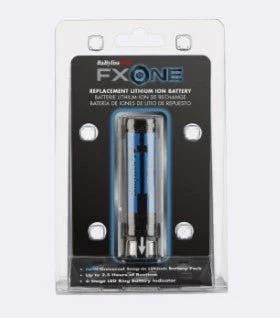
The BaBylissPRO® FXONE Replacement Battery is designed for use with all FXONE™ grooming tools. This interchangeable lithium battery is part of the FXONE™ one-battery system and is compatible across FXONE clippers, trimmers, and shavers. The battery features a built-in LED ring indicator that displays battery status and is intended for quick swaps during use.
How to Use 🧴
-
Power off the FXONE tool before removing or inserting the battery.
-
Press the battery release button on the tool and slide the battery out.
-
Align the FXONE replacement battery with the battery slot and slide it in until it locks securely.
-
Place the battery on a compatible FXONE or SnapFX charging base to charge as needed.
-
Monitor the 4-stage LED ring indicator to check battery status during charging or use.
-
Remove the battery from the tool when not in use for storage or charging.
Details & Craftsmanship
Every detail has been carefully considered to bring you the perfect product.
Details & Craftsmanship
Every detail has been carefully considered to bring you the perfect product.
Description
About the Brand 🌿
BaBylissPRO® is a professional grooming brand trusted by barbers and stylists worldwide. Known for advanced tool systems and modular designs, the FXONE™ platform allows multiple tools to operate using a single interchangeable battery system for streamlined workflows.
About the Product 🔋
The BaBylissPRO® FXONE Replacement Battery is designed for use with all FXONE™ grooming tools. This interchangeable lithium battery is part of the FXONE™ one-battery system and is compatible across FXONE clippers, trimmers, and shavers. The battery features a built-in LED ring indicator that displays battery status and is intended for quick swaps during use.
How to Use 🧴
-
Power off the FXONE tool before removing or inserting the battery.
-
Press the battery release button on the tool and slide the battery out.
-
Align the FXONE replacement battery with the battery slot and slide it in until it locks securely.
-
Place the battery on a compatible FXONE or SnapFX charging base to charge as needed.
-
Monitor the 4-stage LED ring indicator to check battery status during charging or use.
-
Remove the battery from the tool when not in use for storage or charging.